
Customer workflow
Customers browse seasonal produce, build a harvest box, review totals, and submit produce box requests.
case.study // freshbasket.aws
A documented AWS deployment of a Node.js and MySQL vendor portal.
Deployed a Node.js, Express, EJS, and MySQL vendor portal using Elastic Beanstalk, EC2, RDS MySQL, custom VPC networking, security groups, load balancing, Auto Scaling, environment variables, and SNS notification setup.
Live AWS resources are no longer active because this assessment used AWS Academy Learner Lab. Architecture diagrams, configuration screenshots, database connection proof, and application screenshots preserve the deployment evidence.
Deployment snapshot
Deployment model
Load-balanced Elastic Beanstalk environment with Auto Scaling from 2 to 8 instances.
Evidence status
Documented deployment; lab environment expired. Architecture, configuration, SQL proof, and application screenshots remain available.
00 // project.context
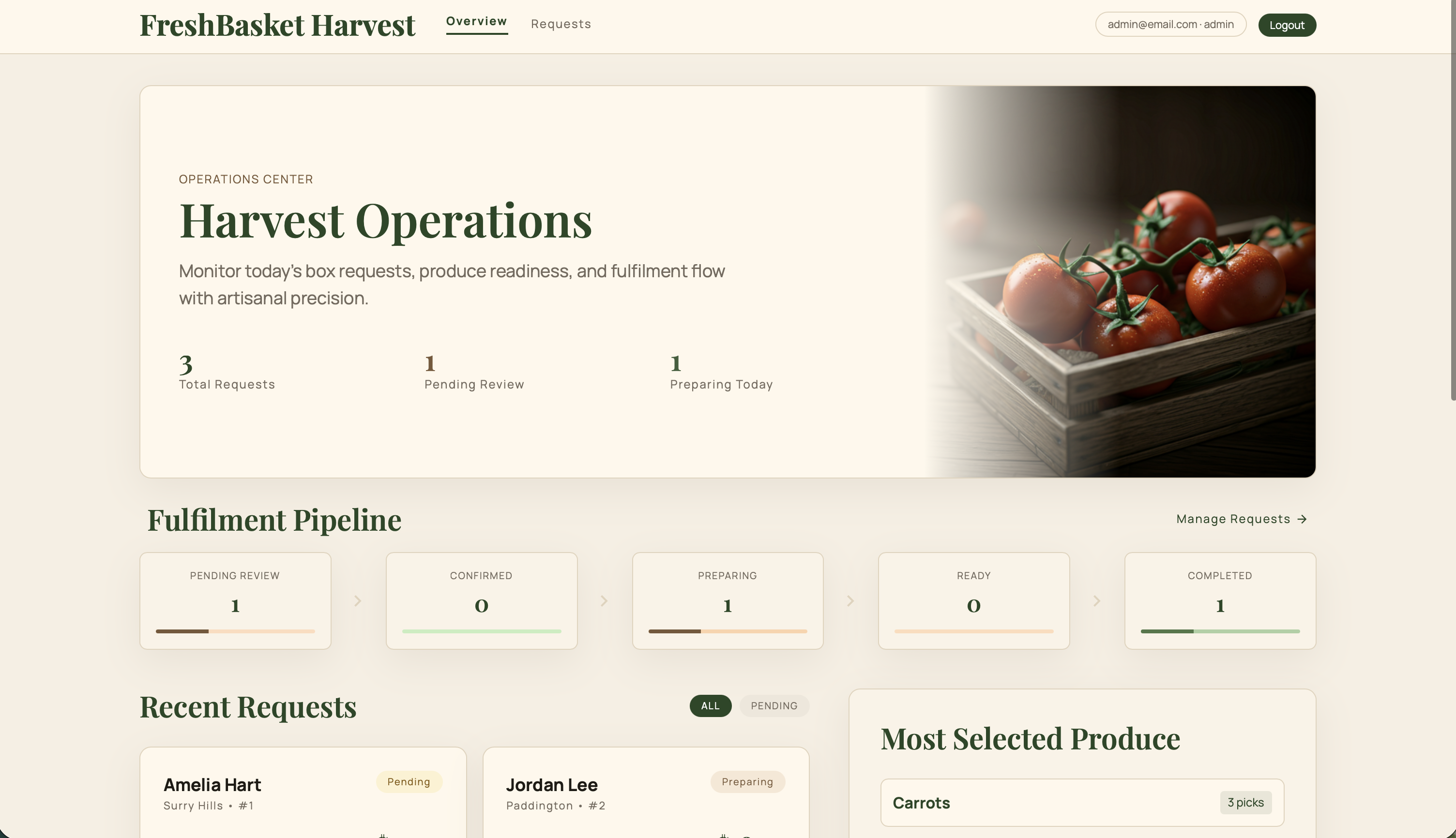
FreshBasket Harvest is a full-stack vendor portal for seasonal produce boxes. Customers browse produce, build a harvest box, review totals, and submit requests. Admin users monitor request metrics, fulfilment status, and customer box requests.
Customers browse seasonal produce, build a harvest box, review totals, and submit produce box requests.
Admin users monitor request metrics, fulfilment status, and customer box requests.
Produce items, box requests, and request line items are stored in MySQL-backed tables.
The case study focuses on AWS configuration, database connectivity, scaling setup, and evidence capture.
01 // architecture
A high-level view of how browser traffic reached the application and database layer.
layer.01
layer.02
layer.03
layer.04
layer.05
This architecture shows how public web traffic reached the app layer while database access remained restricted behind security group rules.
Supporting AWS configuration
02 // deployment.flow
A compact view of the deployment path from app preparation to evidence capture.
selected.step
Prepared the Node.js, Express, EJS, and MySQL application for cloud deployment with environment-driven configuration.
03 // database.integration
RDS MySQL stored produce and customer request data for the deployed vendor portal.
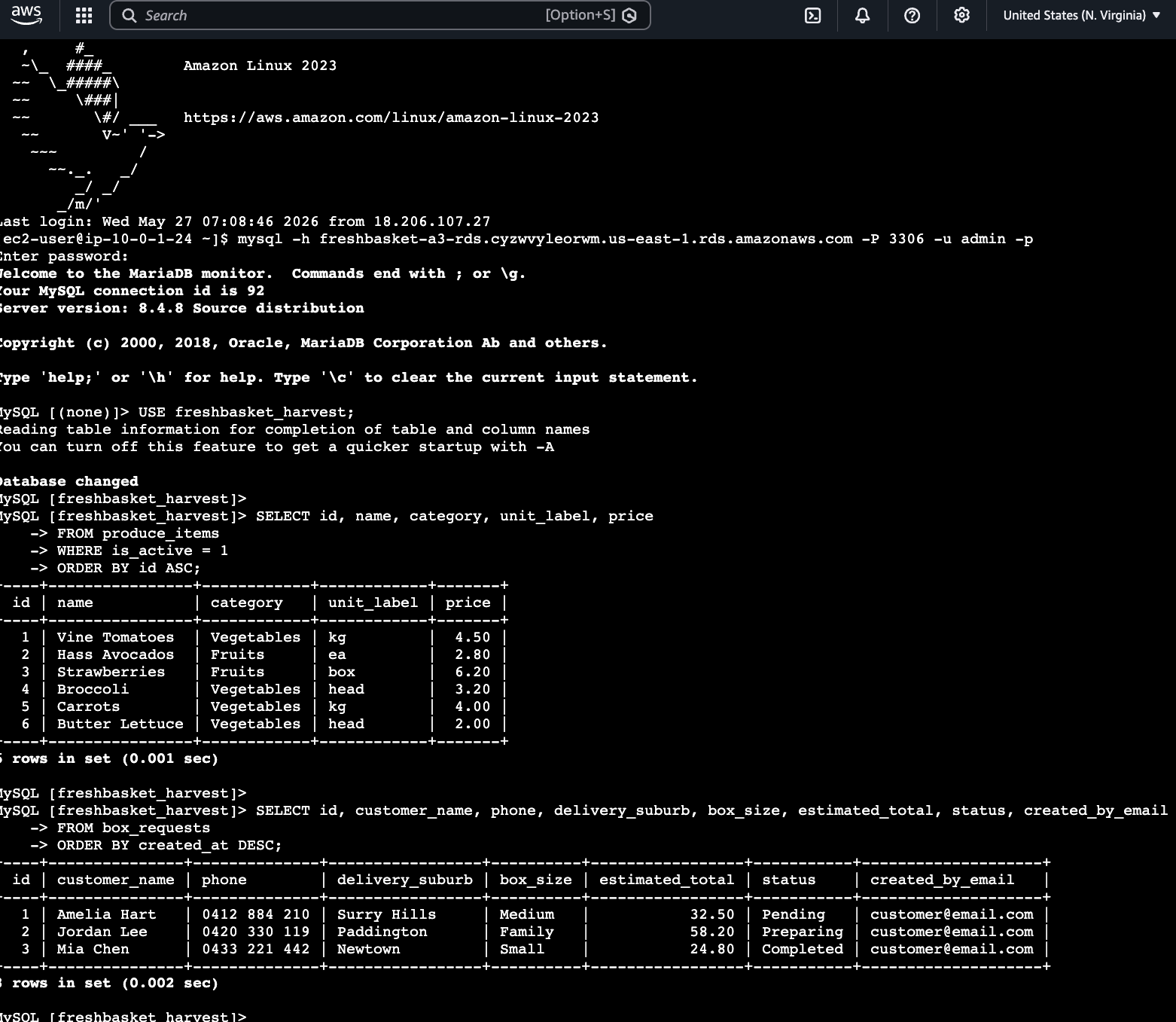
Tables verified
The query evidence connects the deployed application layer to persistent RDS data rather than only showing an isolated AWS configuration screen.
04 // security.networking
Public application access was separated from database access.
HTTP to app / load balancer
MySQL 3306 from app SG only
Custom VPC
Subnets, route table, IGW
The web app allowed HTTP access, while RDS MySQL was restricted to the application security group on port 3306.
Hosted deployment resources inside a controlled AWS networking boundary.
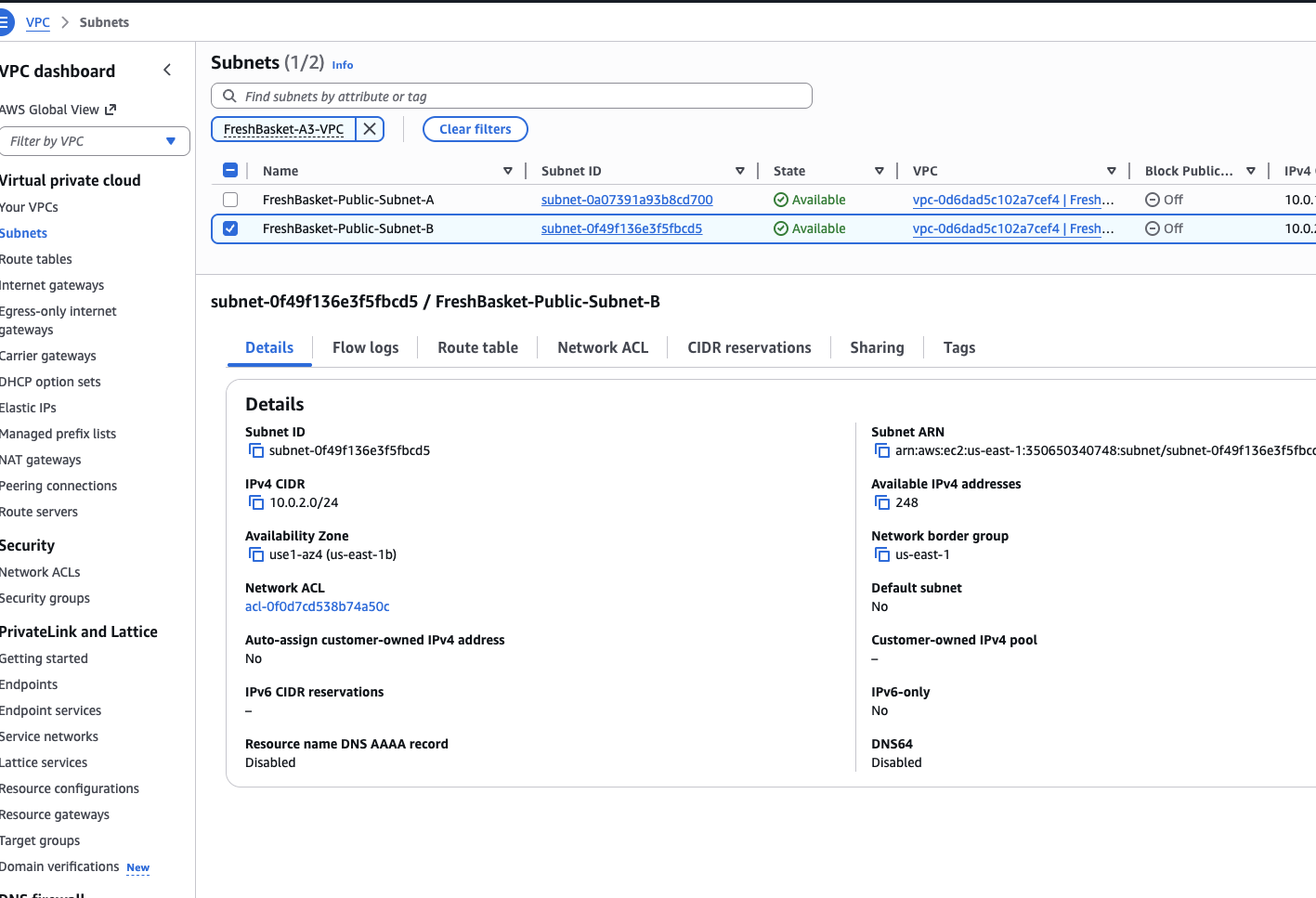
Provided public subnet placement for application-facing resources.
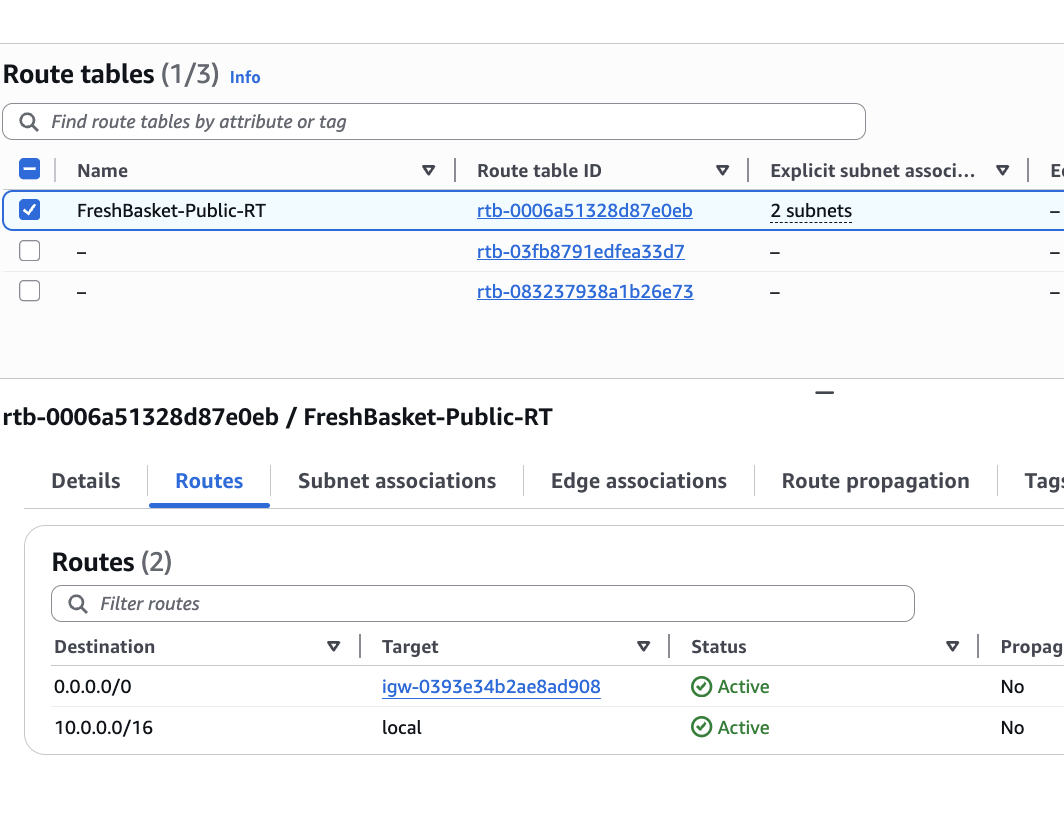
Enabled web access through route table and gateway configuration.
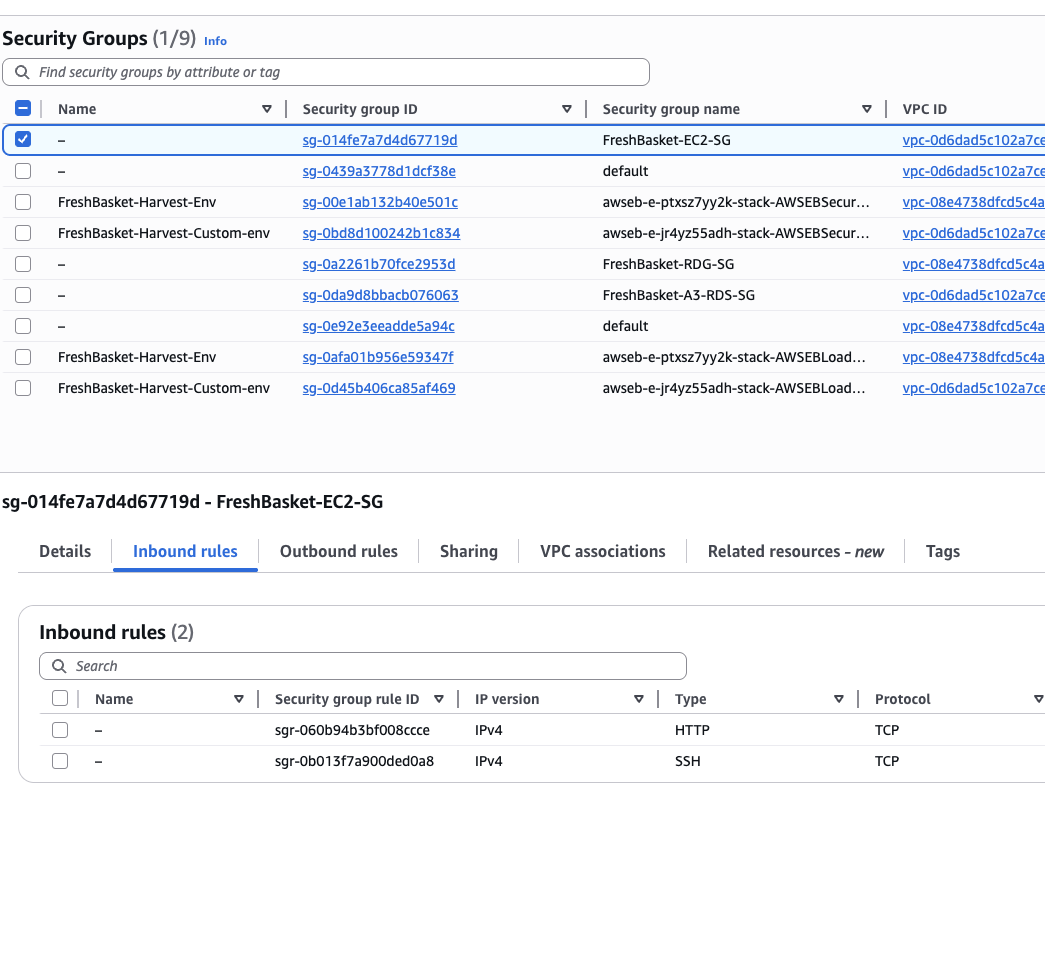
Allowed HTTP access to the application while restricting MySQL access to the app security group.
05 // scaling.operations
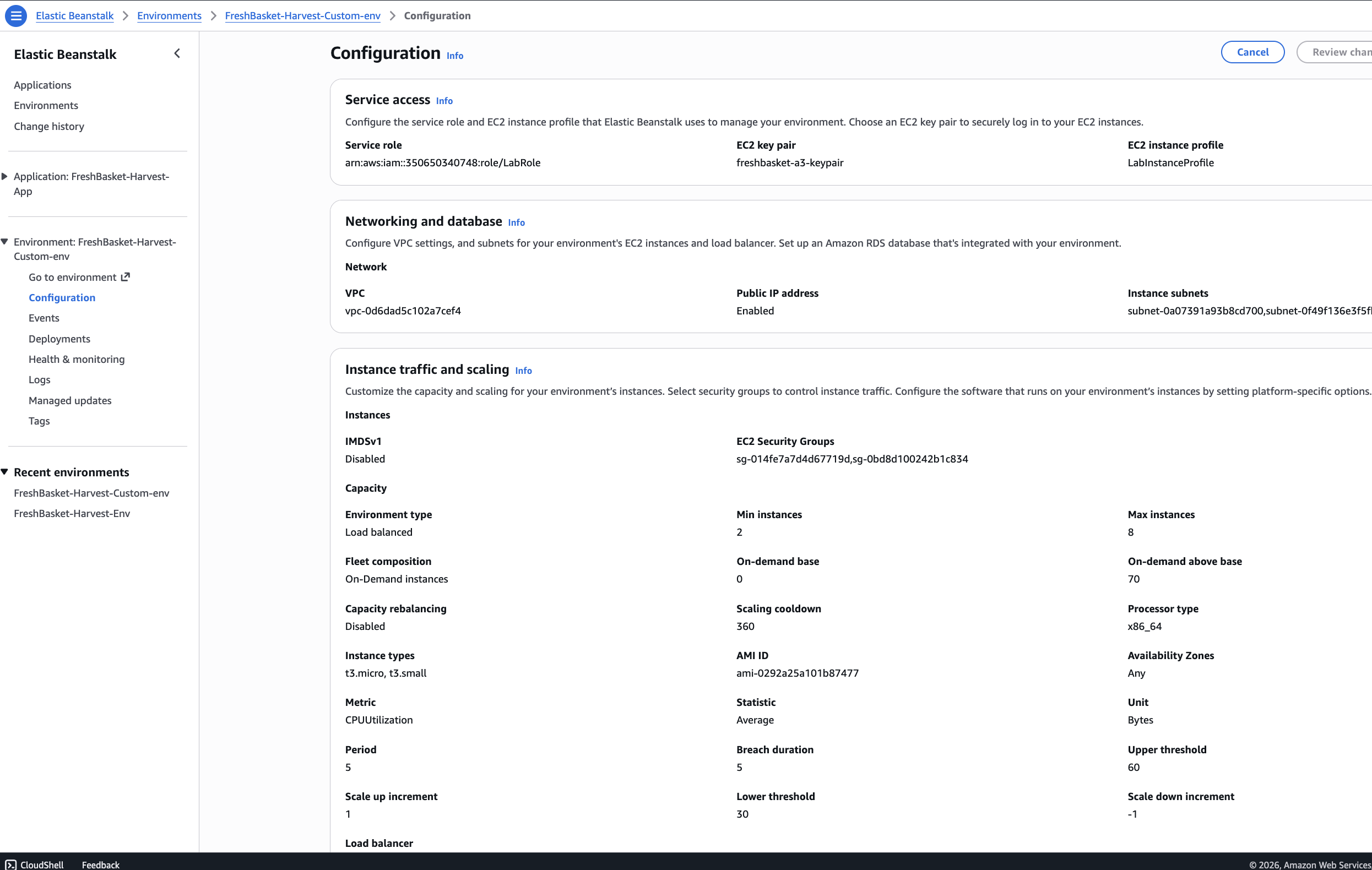
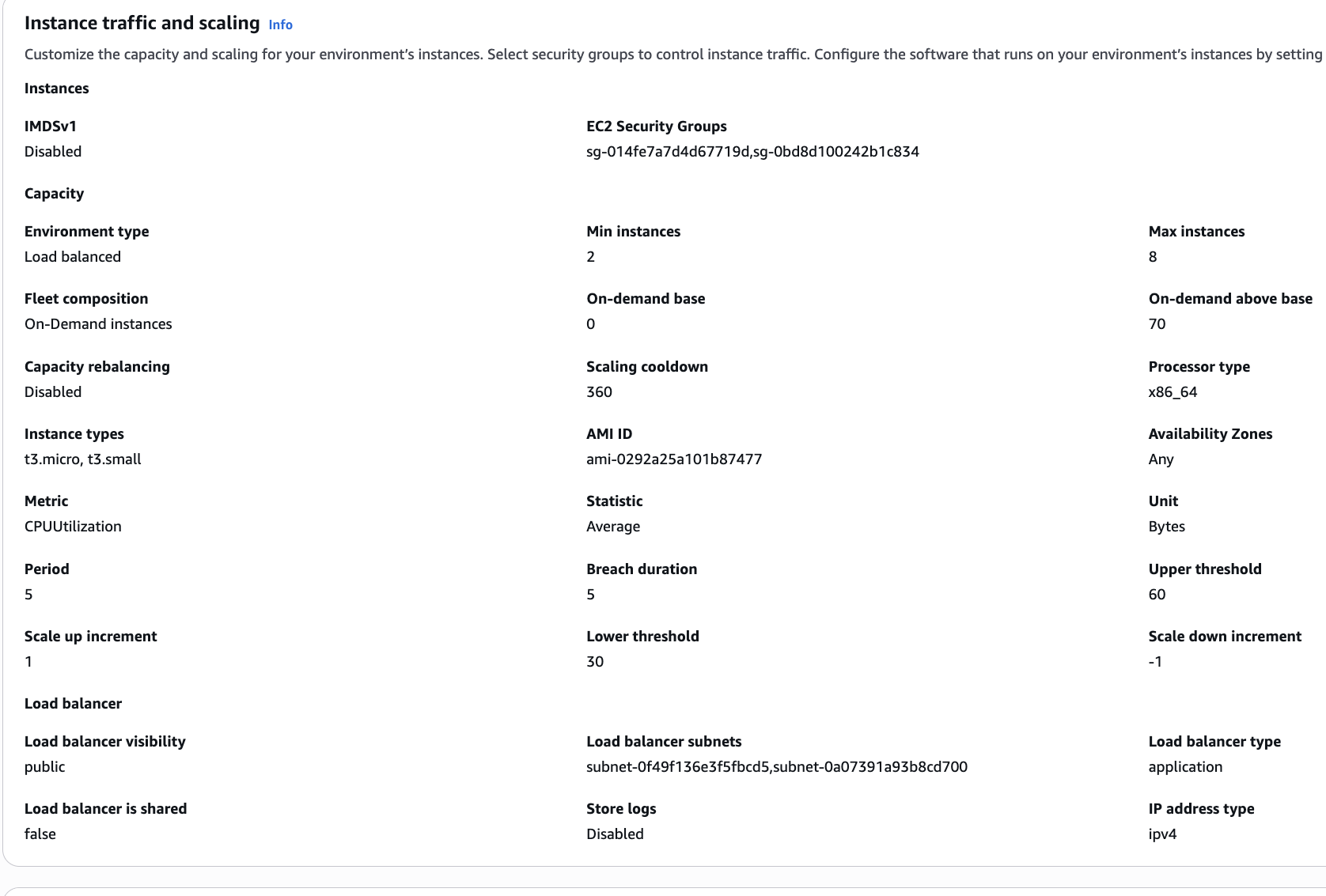
Elastic Beanstalk was configured as a load-balanced environment with Auto Scaling capacity.
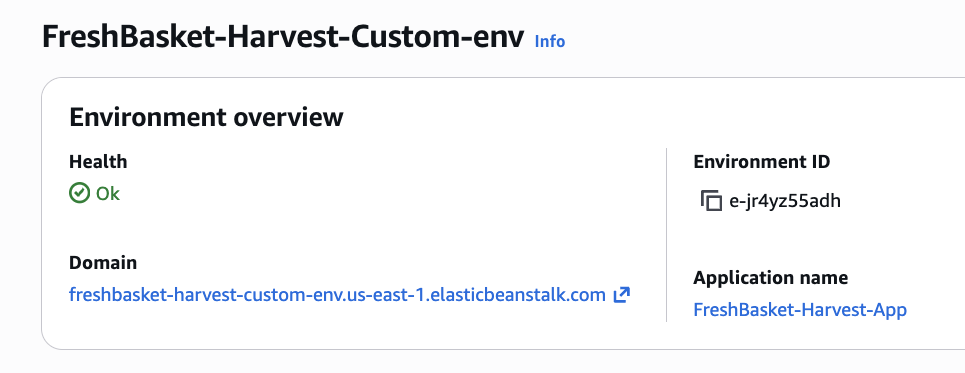
Elastic Beanstalk environment
Min 2 / Max 8
Custom AMI
Environment variables
Health and events
IAM role / instance profile
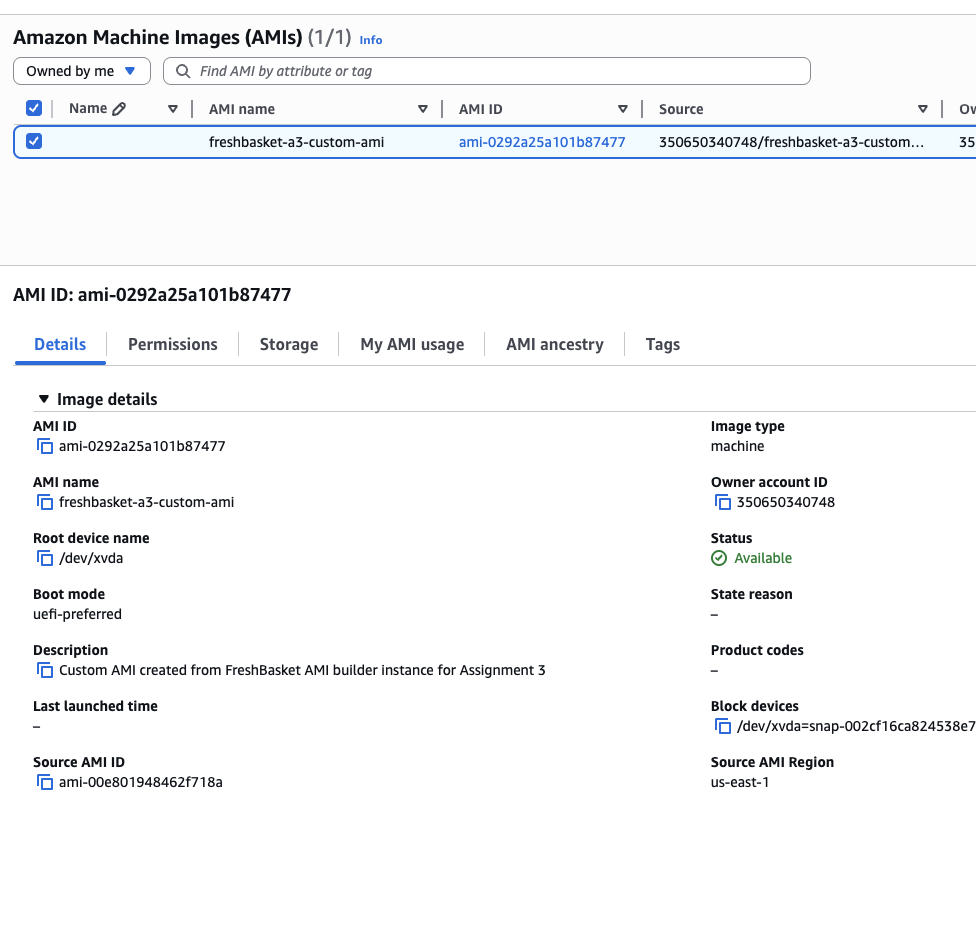
06 // evidence.gallery
Screenshots and diagrams document the AWS deployment after the Learner Lab environment expired.
Sensitive identifiers, endpoints, account details, emails, and credentials are cropped or blurred.
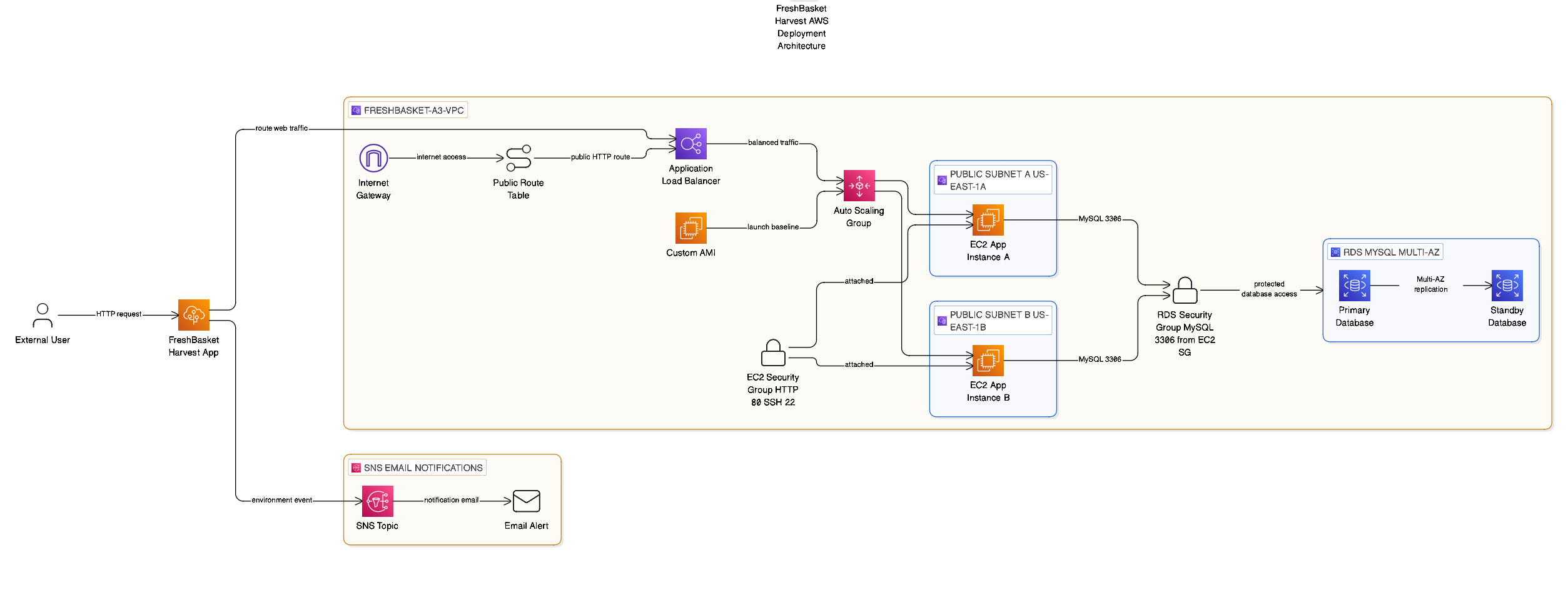
High-level architecture diagram showing the deployed app, AWS services, and database path.
Evidence that the Elastic Beanstalk environment reached a healthy deployment state.
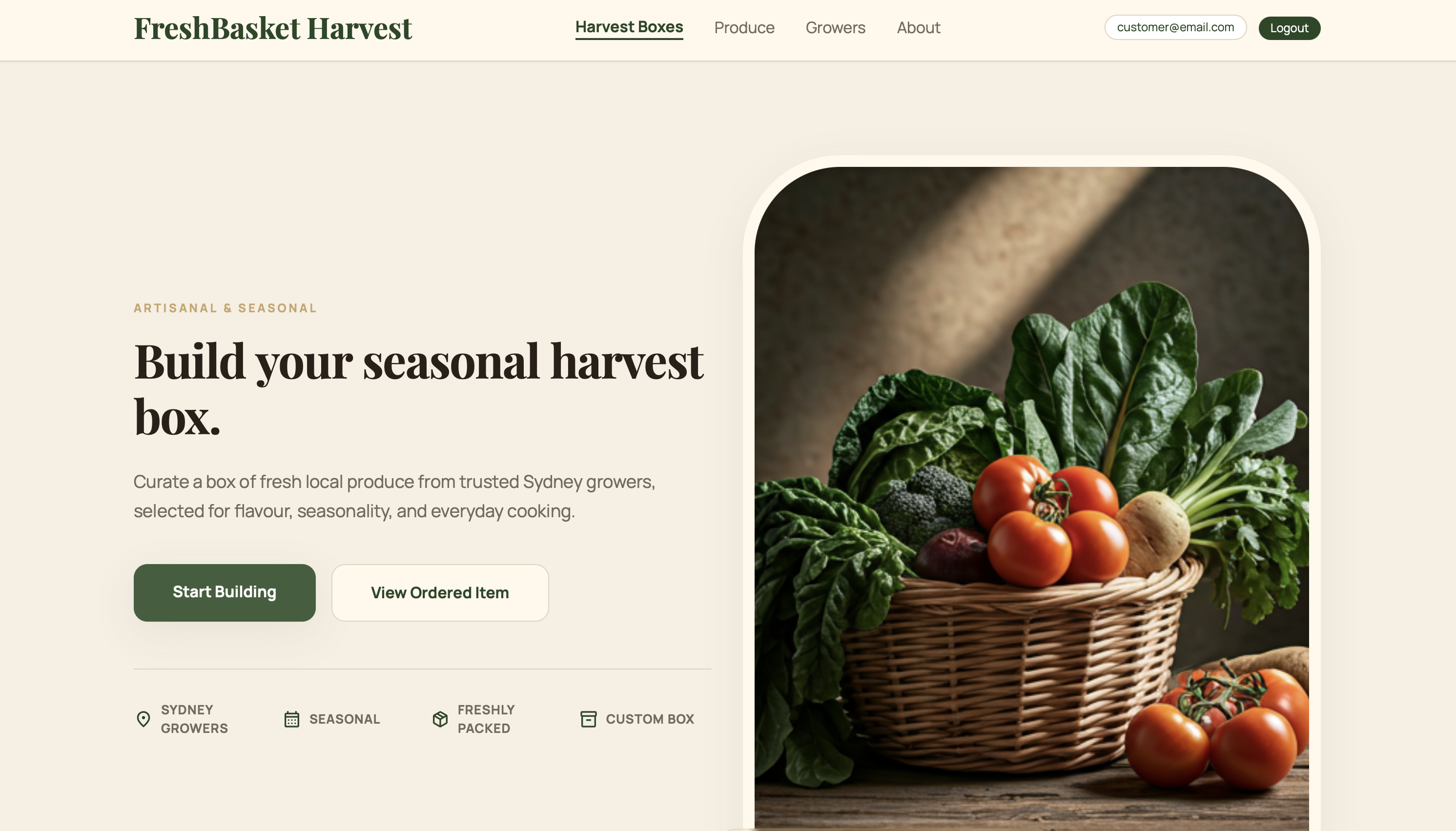
Application landing page evidence showing the deployed FreshBasket user interface.
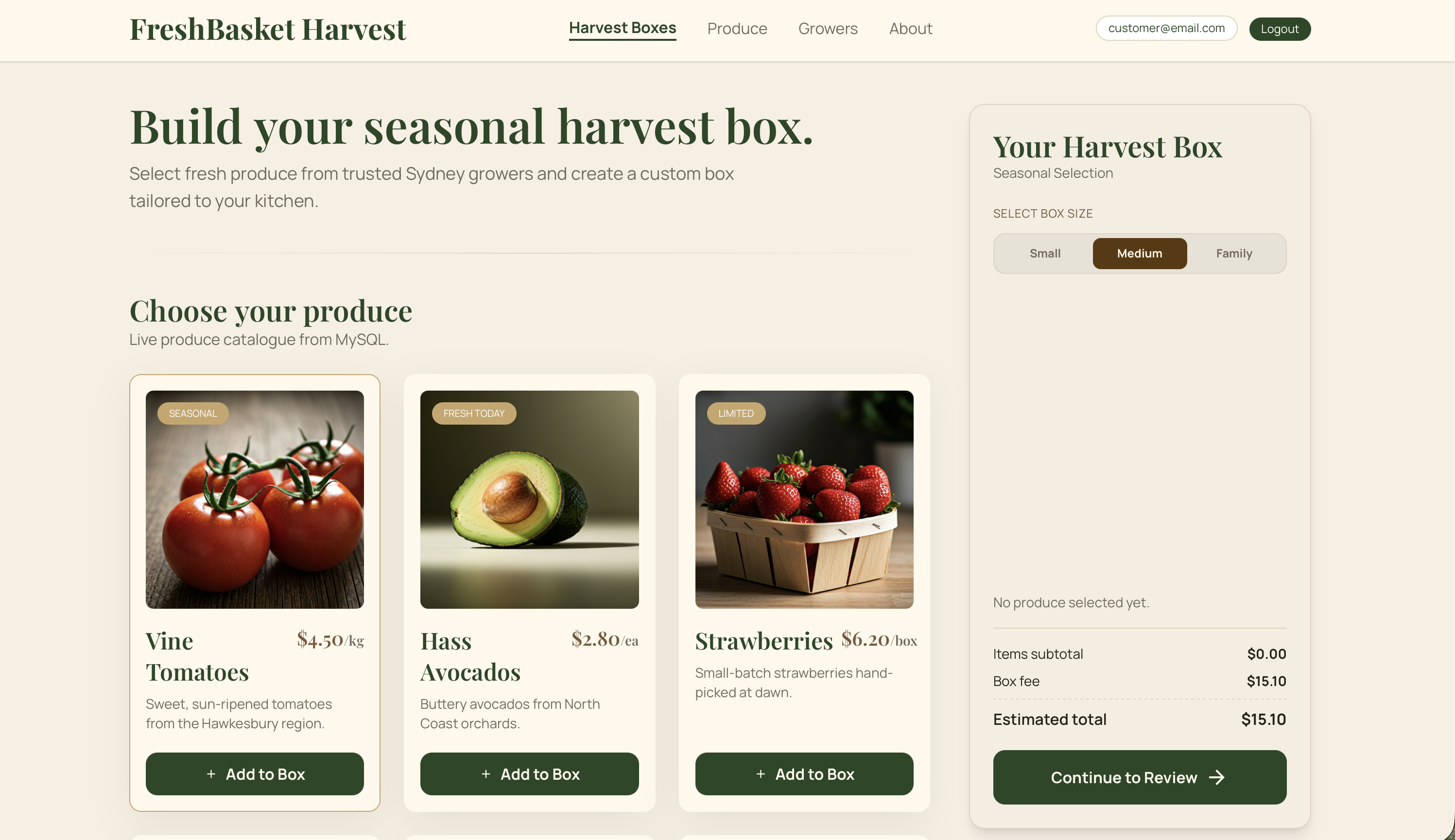
Customer produce-box builder flow running through the deployed web application.
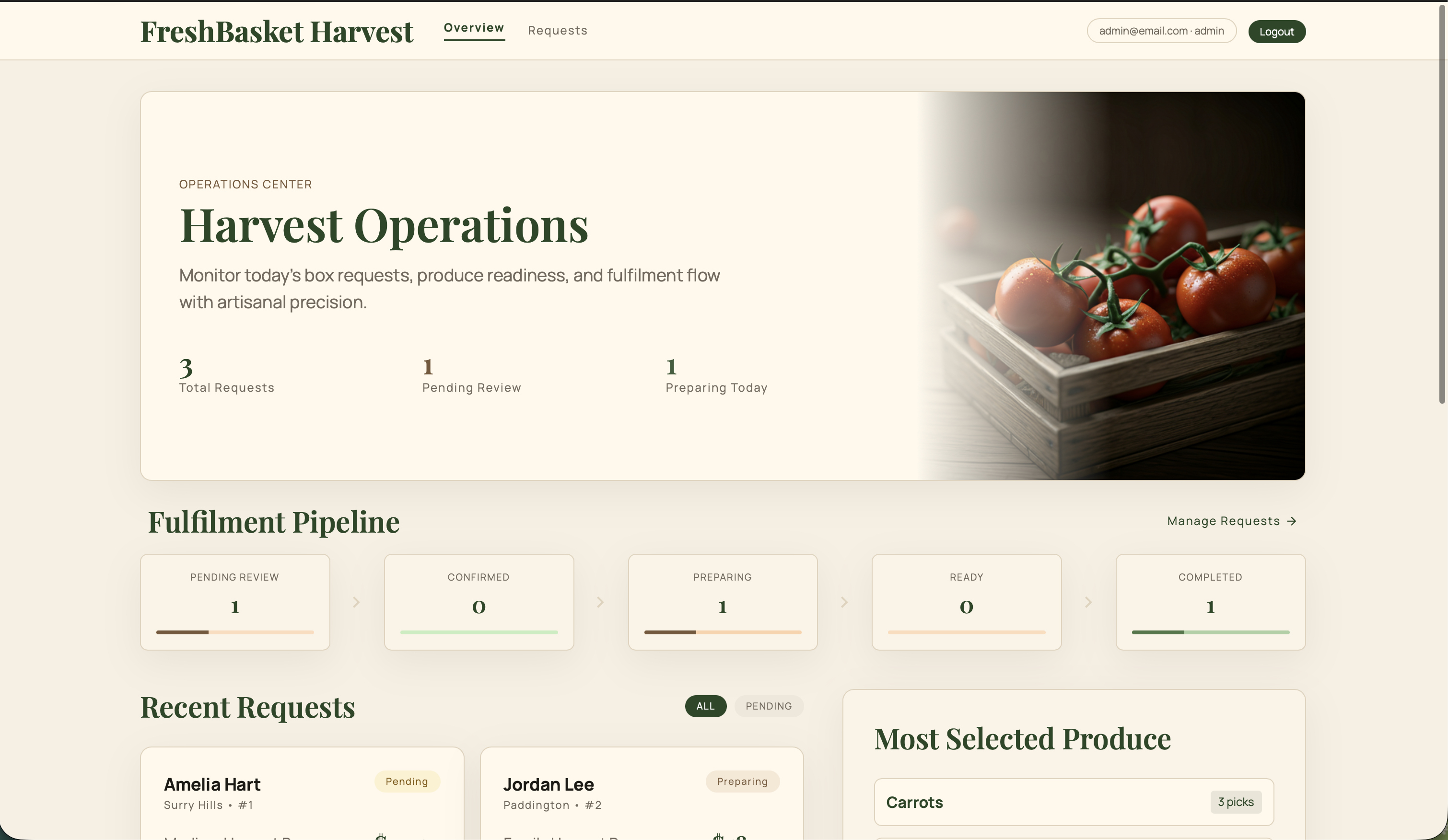
Admin dashboard evidence for request monitoring and operations visibility.
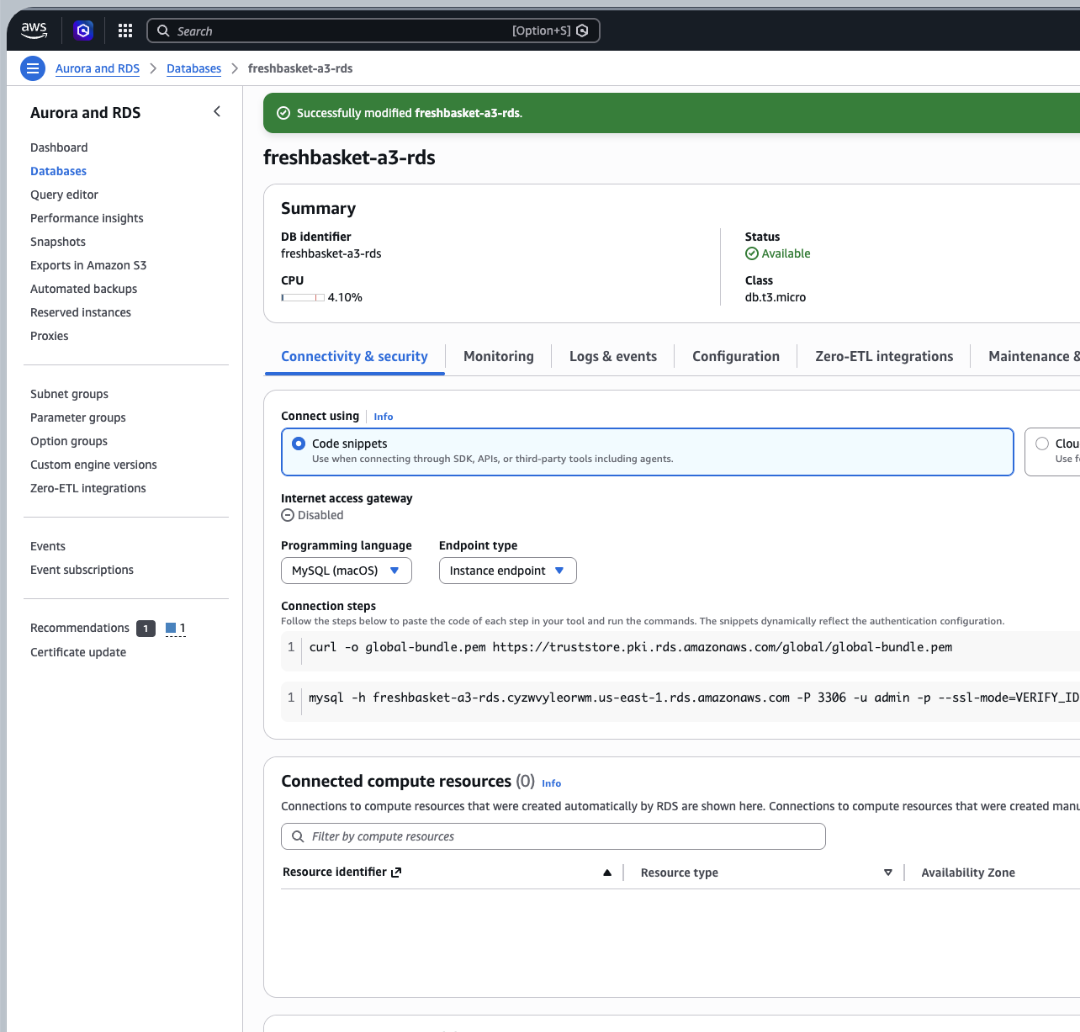
RDS MySQL configuration evidence for the database backing the deployed app.
EC2 terminal query evidence verifying produce and request records in RDS MySQL.
Security group evidence showing access control for web and database traffic.
VPC networking evidence showing how deployment resources were grouped.
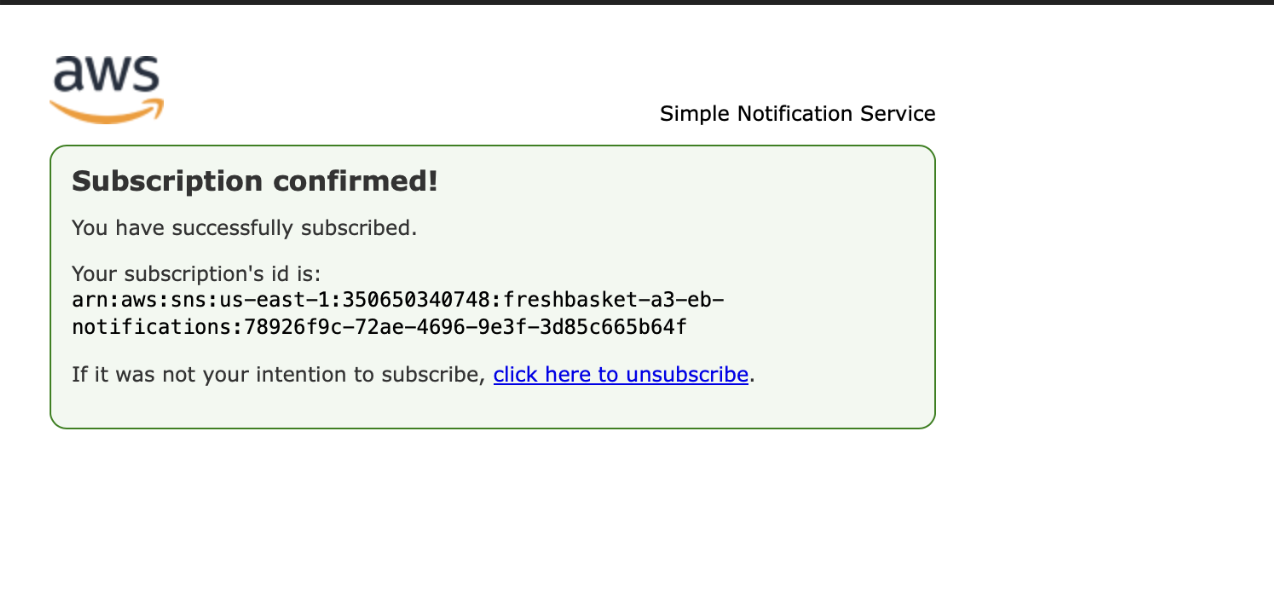
SNS email subscription confirmation evidence for notification setup.
07 // troubleshooting
The debugging work behind a healthy deployment, reliable database access, and safer network boundaries.
issue.01
AWS Academy required us-east-1, so deployment resources were rebuilt in the supported region.
issue.02
Fixed host, port, credentials, environment variables, and security group access.
issue.03
Resolved health/runtime issues by checking environment variables, events, and application startup behaviour.
issue.04
Restricted RDS access to the application security group on port 3306.
08 // reflection
The app, database, networking, roles, scaling, and runtime configuration all had to work together.
Cloud deployments depend on clean configuration boundaries between code and infrastructure settings.
Security groups, routes, subnets, and database access rules directly shaped whether the app could run.
Screenshots, diagrams, and connection proof preserve the deployment story after lab resources shut down.
FreshBasket helped me move beyond local development and understand what it takes to run a full-stack application in a cloud environment. It strengthened my understanding of how RDS integration, Elastic Beanstalk configuration, networking, runtime settings, troubleshooting, and evidence capture work together.
FreshBasket shows how cloud infrastructure decisions shape a full-stack application once it leaves local development.