
Requirements discovery
Understanding that a written brief must be validated through stakeholder conversations.
case.study // sds.modernisation
Modernising project coordination for Software Development Studio.
A high-level case study of a workflow system designed to support UTS Software Development Studio across project submission, coordinator review, project visibility, student allocation, join requests, documentation, and communication touchpoints.
project.preview
Coordinator workflow interface
Case study snapshot
Key value
Reduced manual coordination and improved workflow visibility.
00 // project.origin
Before SDS Project Management Site, our team experienced a real requirements-discovery moment that shaped how we thought about project briefs, stakeholder alignment, and workflow visibility.
What this demonstrated
Understanding that a written brief must be validated through stakeholder conversations.
Recognising when a project direction no longer matches team capacity, constraints, or deliverables.
Handling project changes respectfully and clearly without forcing a misaligned solution.
Seeing how SDS Project Management Site could solve the broader issue of project brief visibility and workflow alignment.
01 // project.overview
SDS Project Management Site is a workflow system for the Software Development Studio subject at UTS. The project focuses on improving how project briefs, submissions, reviews, student allocations, and coordinator workflows are managed. It affects multiple user groups: coordinators need clearer visibility and control, students need easier access to project information and allocation timing, and clients need a more reliable way to submit and clarify project details.
overview.01
Software Development Studio involves clients, project briefs, students, team leads, tutors, and coordinators. Each group depends on clear information, reliable timing, and visible project status.
overview.02
When briefs, project documents, review status, or allocation details are scattered across spreadsheets, shared drives, or manual communication, students and coordinators spend more time searching, confirming, and correcting information.
overview.03
SDS Project Management Site centralises project workflows so coordinators can review, manage, release, and track projects more clearly, while students and clients gain clearer access to relevant project information.
overview.04
I contributed through frontend development, testing, UI refinement, workflow understanding, and documentation support, with a focus on making the system easier to use and reason about.
02 // problem.space
The project focused on the coordination problems that appear when project information, review status, allocation timing, and user responsibilities are not visible enough.
users
Select a user group
Select a user group to view their workflow problems.
Role-specific problems update on selection.
visible.problems
Needs to review submissions, manage project visibility, coordinate release and allocation timing, communicate with clients, and track project status across the subject.
problem.01
Project brief review visibility
Coordinators need to see which project briefs are submitted, incomplete, under review, or ready to release.
problem.02
Easier communication with clients
Client details, project updates, and clarification points need to be easier to track during review.
problem.03
Release and allocation date management
Semester dates, project release timing, and allocation windows need to be managed clearly.
problem.04
Project status tracking
Coordinators need visibility over pending, under review, allocated, on-hold, and revision-required projects.
problem.05
Reducing manual coordination
The system should reduce reliance on scattered spreadsheets, emails, and manual tracking.
engineering.focus
These role-specific problems shaped how the system needed to support project visibility, clearer communication, and fewer manual coordination steps.
role.contribution
I contributed as a Frontend Developer & Tester, focusing on interface quality, workflow behaviour, and user-flow validation.
contribution.01
Built and refined screens that support project management, submissions, status visibility, and coordinator workflows.
contribution.02
Tested key interactions to identify UI issues, workflow bugs, edge cases, and unclear behaviours.
contribution.03
Helped translate coordination needs, stakeholder workflows, and requirements ambiguity into structured interface decisions.
contribution.04
Supported clearer documentation, decision explanation, testing evidence, and handover readiness.
tech.skills
04 // project.workflow
The architecture shows how the system fits together. This sprint view focuses on how the work progressed from requirements and planning into implementation, testing, refinement, and handover.
Select each sprint to view delivery areas, testing focus, and project outcomes.
active.sprint
Focused on understanding the system context, user groups, workflow pain points, and project expectations before implementation.
testing.quality
Checked whether requirements were clear, testable, and connected to real user workflows.
employer.value
Shows requirements thinking, planning discipline, and the ability to clarify ambiguous work before building.
deliverables
delivery.areas // sprint 0
05 // feature.showcase
A visual overview of the main interface areas represented in the system.
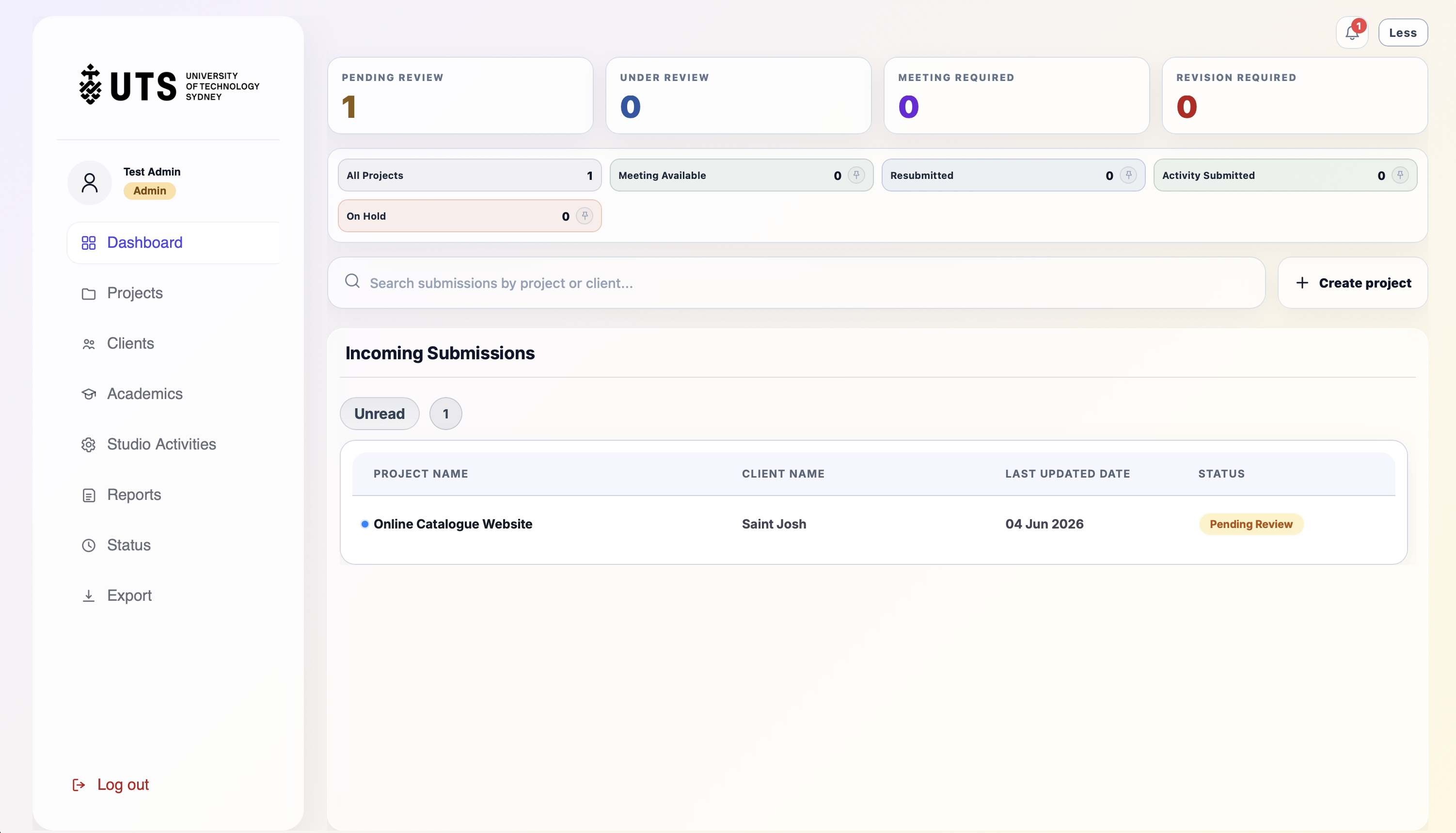
Admin / Subject Coordinator view for status overview, incoming submissions, review queues, and project visibility.
workflow.value
Helps coordinators scan project activity and review work with clearer context.
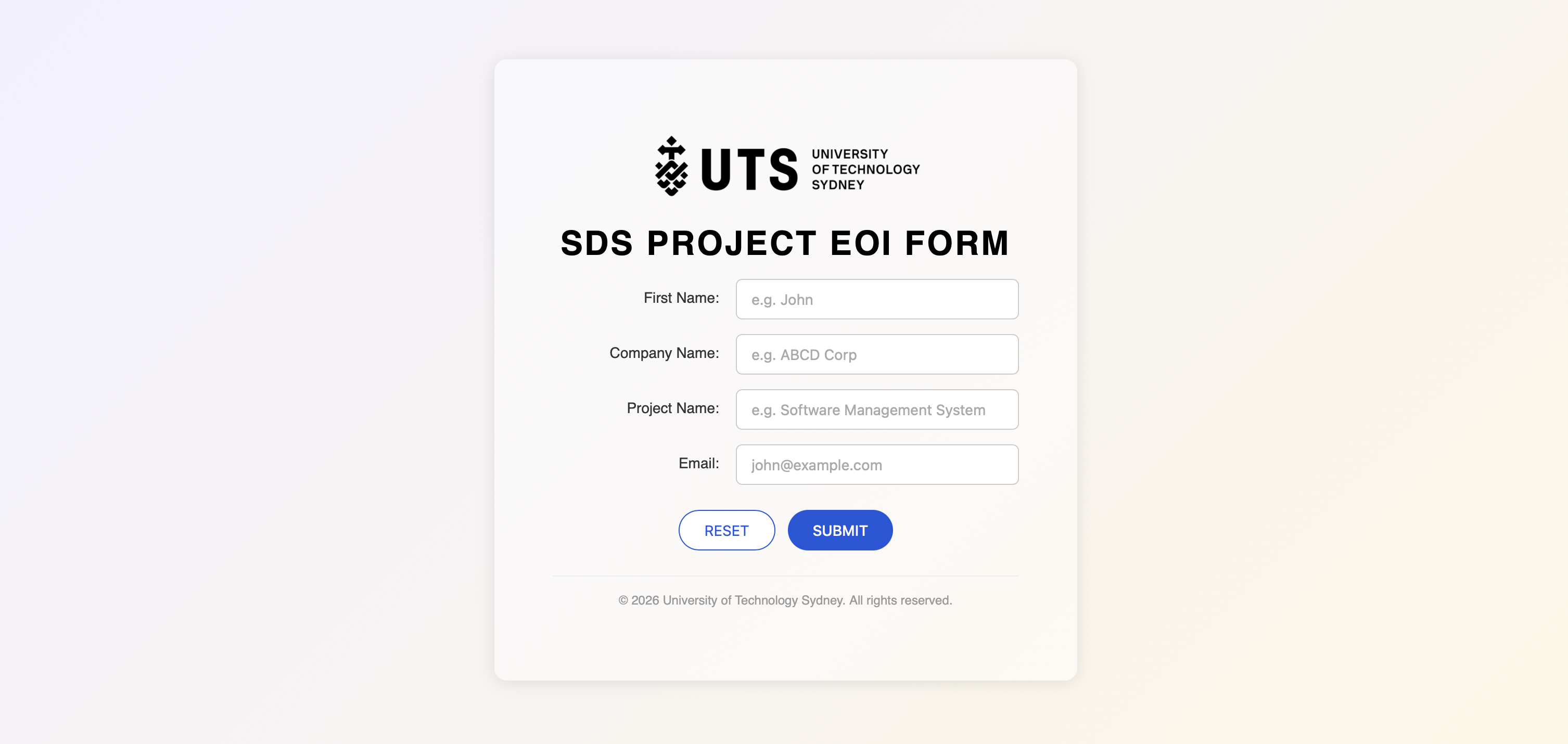
Client-facing project brief submission flow for collecting project details, requirements, and review information.
workflow.value
Turns project intake into a clearer structured path for brief visibility.
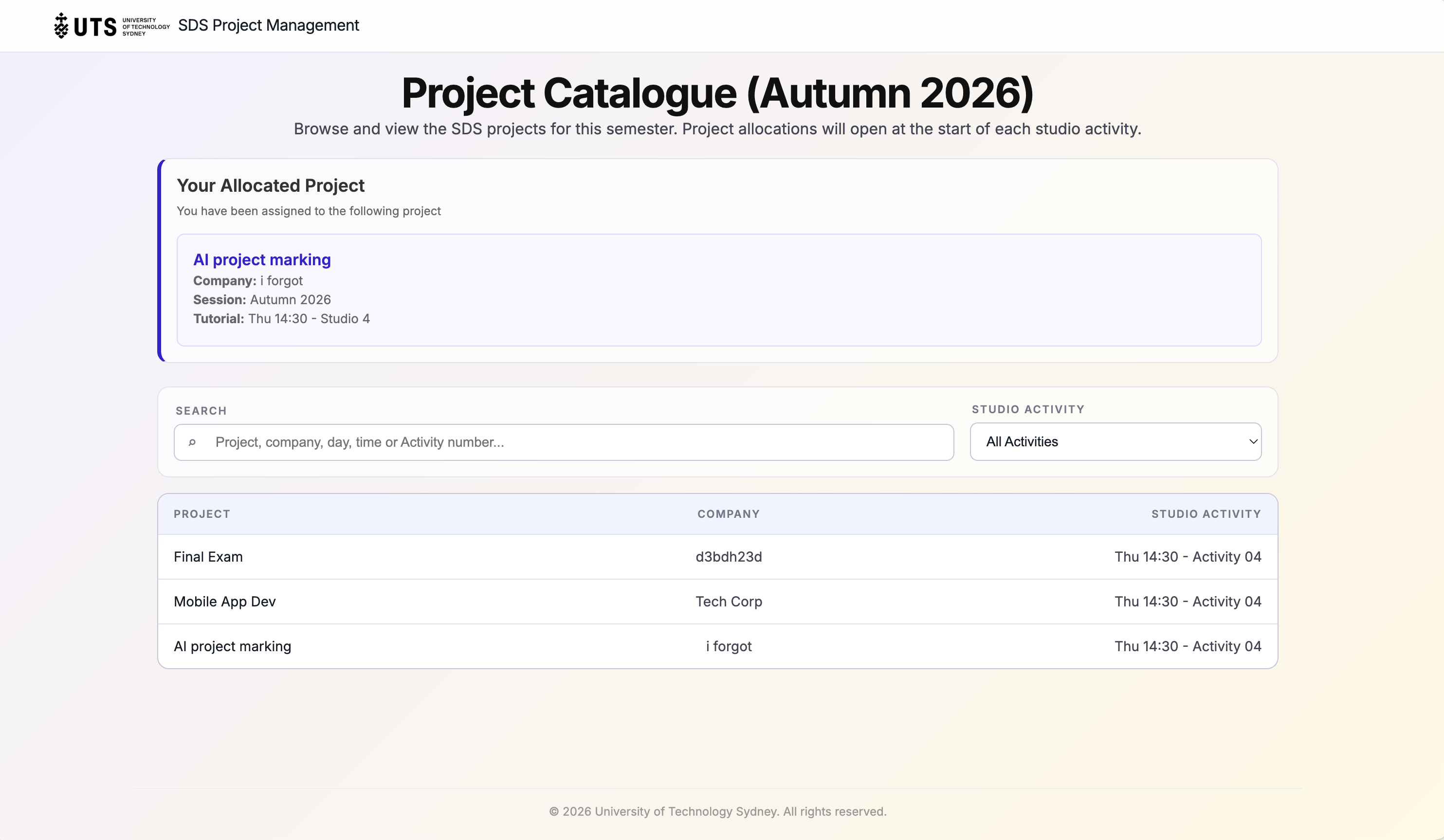
Student-facing submitted application status tracking for project requests and allocation context.
workflow.value
Makes submitted work easier to follow after the initial application flow.
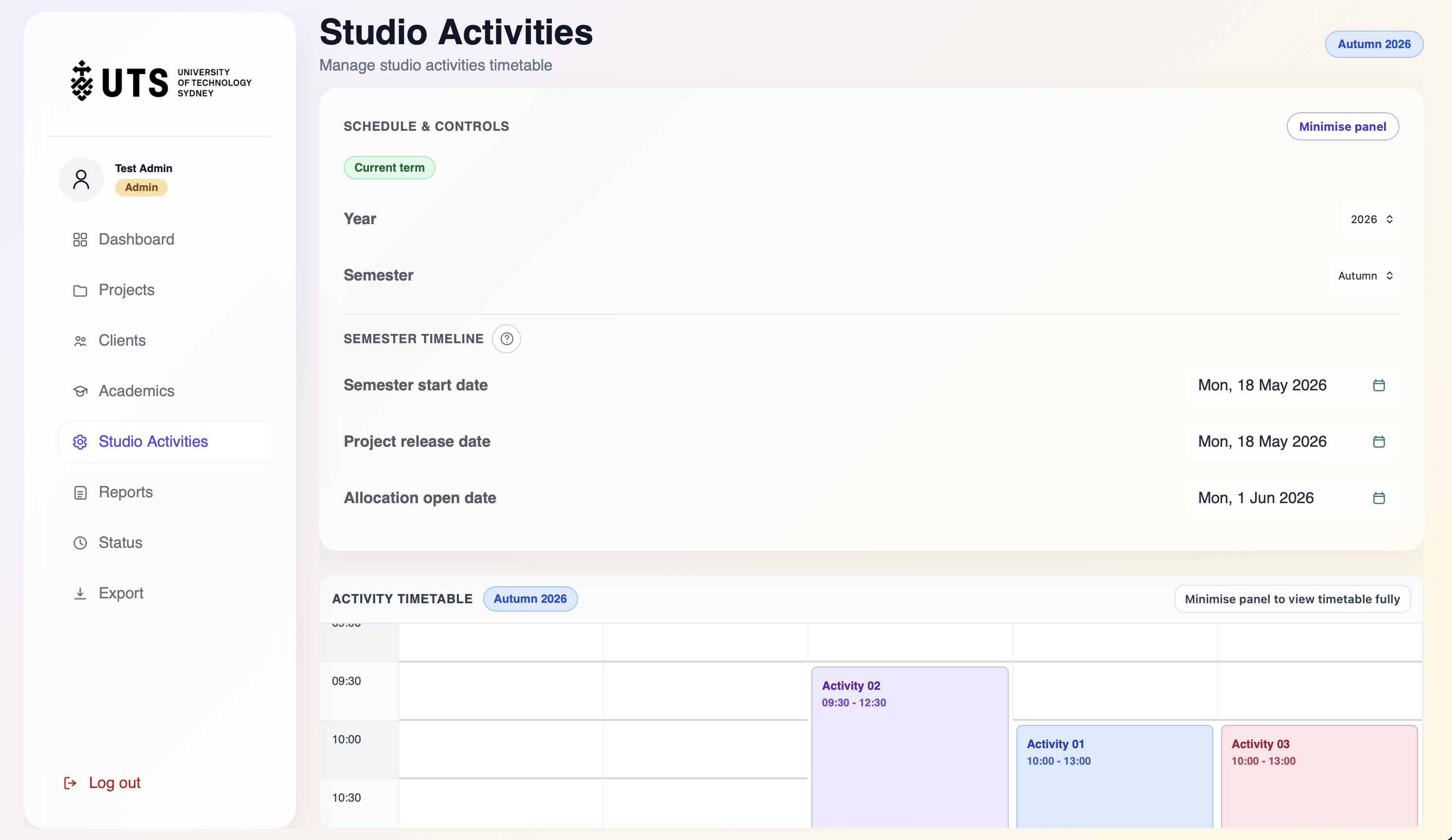
Semester scheduling, release dates, allocation open dates, and timetable visibility.
workflow.value
Improves timing clarity for Admin / Subject Coordinator workflows and student allocation stages.
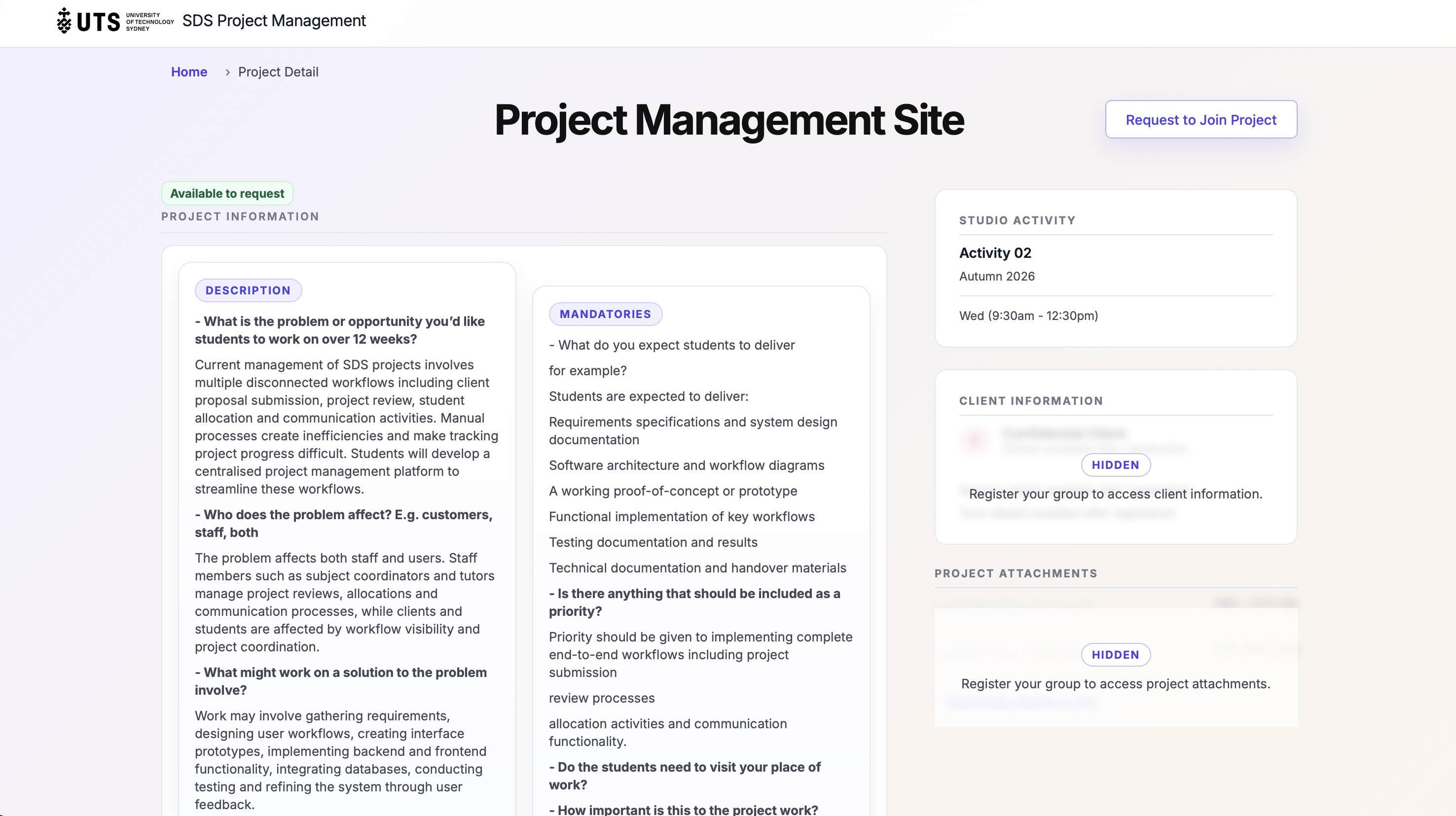
Project information, mandatories, client visibility, attachments, and join request entry point.
workflow.value
Gives Students and Team Leads clearer project context before acting.
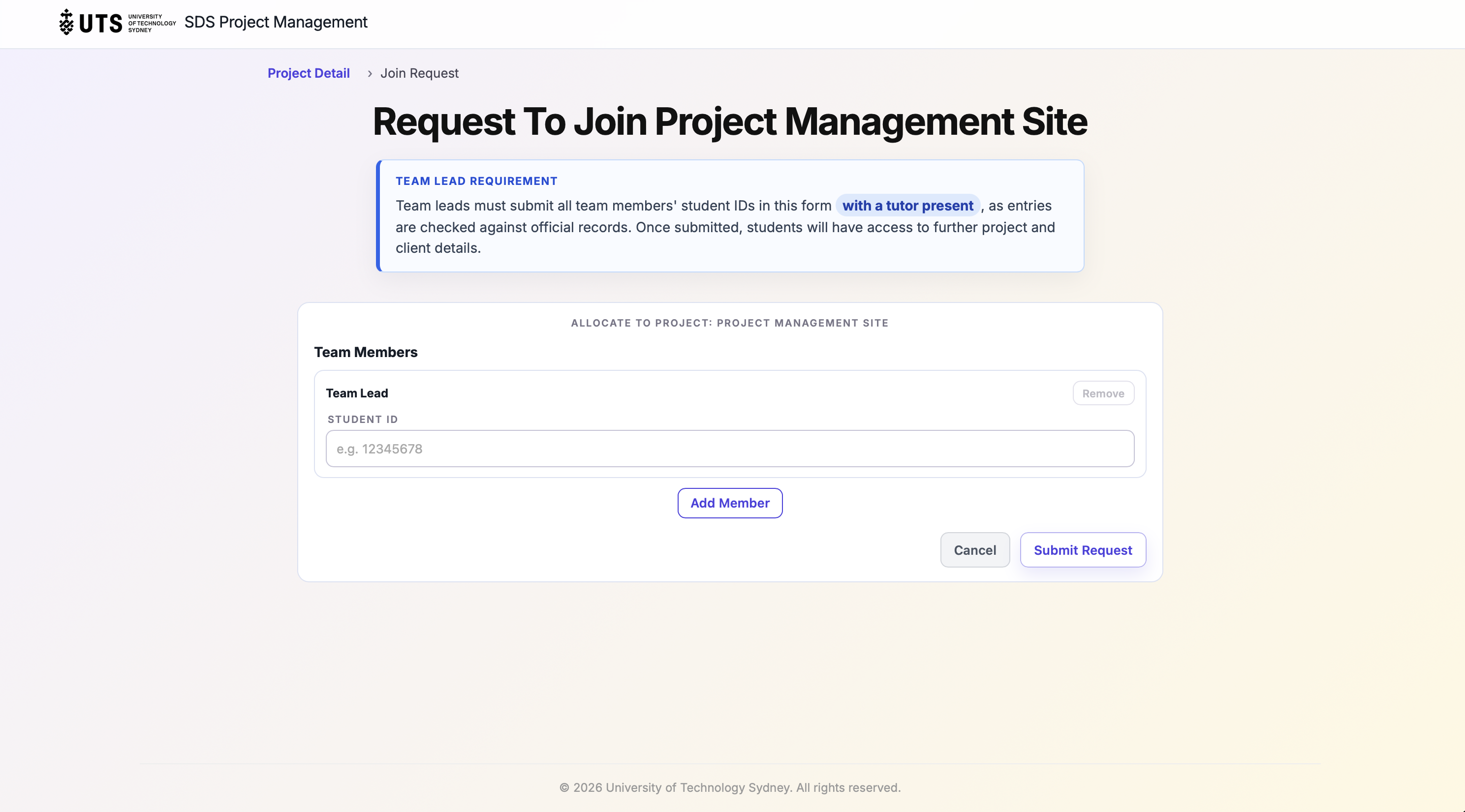
Team Lead request form with student ID entry and tutor-present requirement.
workflow.value
Supports a more structured Student and Team Lead request workflow.
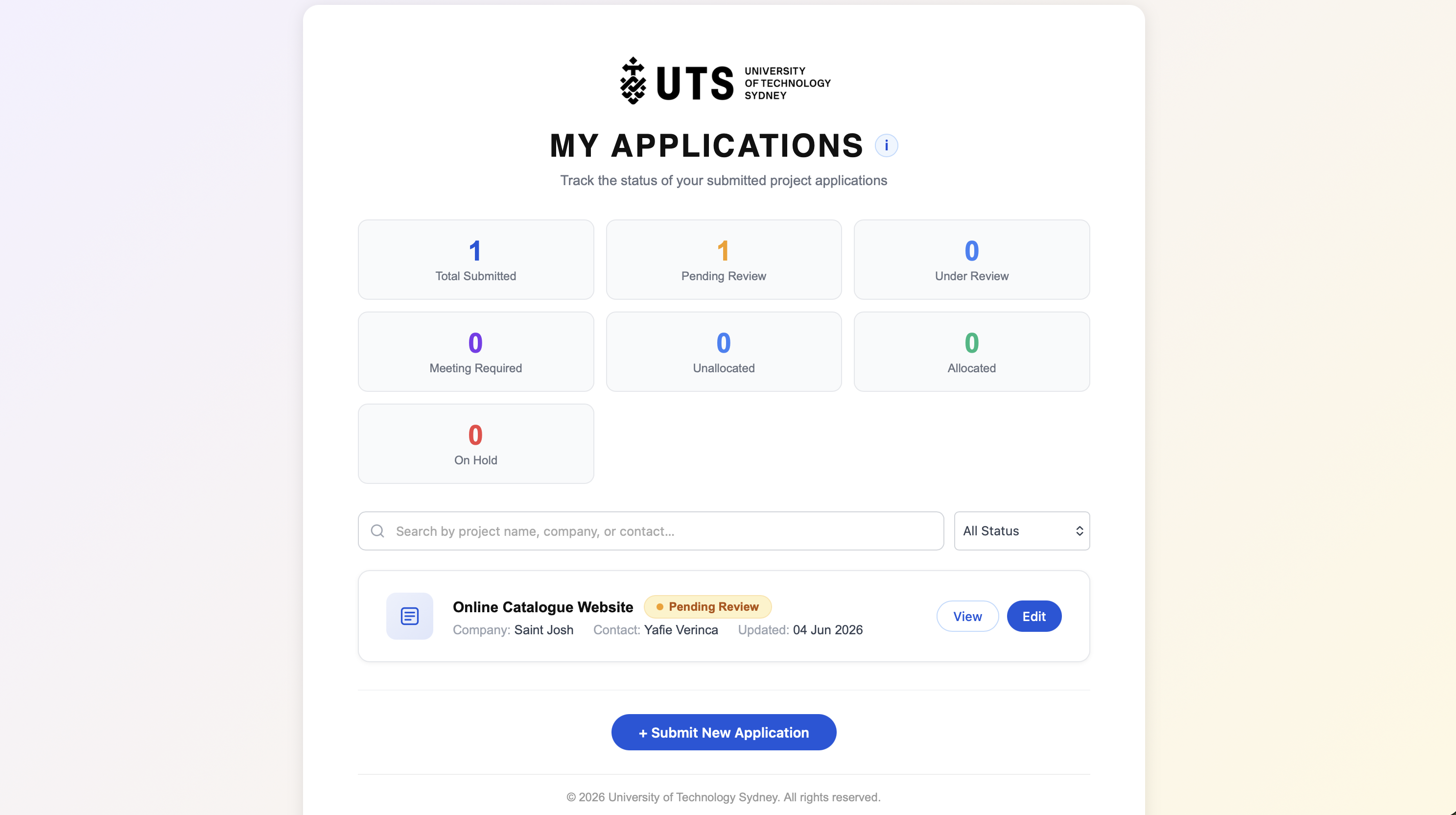
Client-facing dashboard for tracking submitted project briefs, review progress, and project updates.
workflow.value
Gives clients clearer visibility over submission status and coordinator follow-up.
06 // testing.quality
Testing helped validate whether the workflow behaved clearly, consistently, and reliably.
Checked important user journeys such as project submission, review status, project detail access, and join request flow.
Reviewed screens for layout consistency, readable hierarchy, and clear interaction states.
Identified issues that affected workflow clarity, validation, or expected system behaviour.
Used testing observations to improve usability, handover clarity, and team discussion.
testing.lifecycle
07 // outcome.reflection
This project helped me connect software engineering concepts with real workflow needs.
development.lesson
This project helped me understand that software engineering is not only implementation. It also involves validating requirements, understanding users, managing ambiguity, testing behaviour, and communicating decisions clearly enough for others to continue the work.
I learned that a good system is not only about screens, but about how people move through tasks, decisions, visibility, and handoffs.
Testing helped expose where interactions, validation, status changes, or allocation timing could become confusing.
Explaining decisions, documenting behaviour, and aligning with teammates is part of building useful software that others can continue.
next.improvements
This is a high-level case study. I'm continuing to document the implementation details, testing notes, screenshots, and handover evidence as the project evolves.